
-
Backoffice / PMS
-
- Was sind iCal-Feeds? Und was kann ich damit machen?
- So richten Sie Produkte unter Unterkünften ein
- Stornierungen
- Festlegen von Zeitraumbedingungen
- Übersicht Unterkünfte
- Neue Unterkunft hinzufügen
- Hinzufügen von Preisen/Tarifen zu einer Unterkunft
- Rabatte
- Steuern
- Optionen
- Orte / Räume / Objekte
- Unterkunftseinstellungen
- Wie richte ich eine Unterkunft ein?
-
- Wie kann ich mit Berichtslisten arbeiten?
- Wie ändere ich die nächste Rechnungsnummer?
- Verzögern Sie die Rechnungsfertigstellung.
- Wie kann ich PDF- oder UBL-Rechnungen automatisch an mein Buchhaltungssystem senden?
- Direkte Zahlungslinks
- Wie man mit Hauptbuchkonten arbeitet
- Rechnungsbranding für E-Mails
- Wie sieht der Rechnungsbildschirm aus?
- Was ist der Unterschied zwischen Konzept- und Endrechnung?
- Wie füge ich der Rechnung ein Produkt hinzu?
- Wie schließe ich eine Rechnung ab?
- Wie drucke ich die Schlussrechnung aus?
- Was ist eine UBL-Rechnung?
-
- Wie kann ich mit Berichtslisten arbeiten?
- Wie können Gästeinformationen überschrieben werden?
- Wie funktioniert das Scannen von Dokumenten?
- Gäste hinzufügen
- Formular-Setup
- Gästeeinstellungen
- So senden Sie manuell eine E-Mail an den Gast
- Wie ändere ich die Informationen des Gastes?
- Wie funktionieren Gastsprachen?
- Wie funktionieren benutzerdefinierte Felder?
- So erstellen und verwenden Sie eine Liste blockierter Gäste
-
- Wie kann ich meine Preise festlegen?
- So richten Sie die Option für den späten Check-out ein
- Rabatte
- Steuern
- Optionen
- Wie lege ich Preise für Hunde/Haustiere fest?
- Wie richte ich einen Frühbucherrabatt ein?
- Wie kann ich einen Produktpreis für verschiedene Zeiträume ändern?
- Kurzanleitung zum Aktualisieren von Preisen
- Wie richte ich einen berechneten Tarif ein?
-
- Wie kann ich mit Berichtslisten arbeiten?
- Eine Reservierung kopieren.
- Wie können Gästeinformationen überschrieben werden?
- Wie funktioniert das Scannen von Dokumenten?
- Fehlercodes zur Preisberechnung
- Stornierungen
- Eine Reservierung aus einer Gruppenbuchung entfernen
- Formular-Setup
- Zwei Buchungen kombinieren
- Eine bestehende Buchung zu einer Gruppenbuchung hinzufügen
- Einer Gruppe eine neue Buchung hinzufügen
- Eine Buchung aufteilen
- Einen Zeitraum innerhalb einer Buchung entfernen
- Einer Buchung Tage hinzufügen
- Stornierung einer Gruppenbuchung
- So fügen Sie einer Reservierung eine Zahlung hinzu
- So fügen Sie einer Reservierung einen Ort/ein Zimmer/ein Objekt hinzu oder ändern es
- Informationen für Reisende
- Wie ändere ich den Ort einer Reservierung?
- Wie füge ich einer Reservierung eine Zahlung hinzu?
- So senden Sie manuell eine E-Mail an den Gast
- Wie ändere ich die Kommunikationssprache für eine Reservierung?
- Wie ändere ich die Informationen des Gastes?
- Neue Reservierung anlegen (Backend)
- Wie exportiere ich Reservierungsdaten nach Excel?
- Kann ich meine benutzerdefinierte Reservierungsliste speichern?
- Wie funktionieren Stornierungen?
- Welche Reservierungsstatus gibt es?
- Wie ändere ich den Status einer Buchung?
- Wie nehme ich eine Reservierung vor?
- Wie funktionieren benutzerdefinierte Felder?
- So erstellen und verwenden Sie eine Liste blockierter Gäste
- Verbleibende Artikel anzeigen (17) Artikel ausblenden
-
- Was sind iCal-Feeds? Und was kann ich damit machen?
- Guthaben
- Wie ändere ich die nächste Rechnungsnummer?
- Mehrwertsteuergruppen
- Online-Buchungseinstellungen
- Workflows
- Wie aktiviere ich die BETA-Funktionen?
- Wie verhindere ich, dass E-Mails als Spam markiert werden?
- So richten Sie die Zwei-Faktor-Authentifizierung (2FA) ein
- Wie richte ich einen Kiosk ein?
- Besondere Termine
- Formular-Setup
- E-Mails
- Rabattkarten
- Interaktive Karteneinstellungen
- Felder
- Wie man mit Hauptbuchkonten arbeitet
- Rechnungsbranding für E-Mails
- Benutzer
- Formular-Setup
- Rollen
- Anbieter & Methoden
- Online-Buchungseinstellungen
- Website-Integration
- Rechnungseinstellungen
- Nummernschilder
- Administrationsbilder
- Stichworte
- Gästeeinstellungen
- Wie funktionieren Alterstabellen?
- Wie funktionieren Gastsprachen?
- Wie melde ich mich mit meinem SSO-Konto an?
- Markenbildung
- Wie funktionieren benutzerdefinierte Felder?
- Wie kann ich mein Passwort, meine Benutzereinstellungen und meinen Benutzernamen ändern?
- Verbleibende Artikel anzeigen (20) Artikel ausblenden
-
-
Online-Buchung
- Wie kann ich das Branding für meine Online-Buchungsmaschine einrichten?
- Wie richte ich die gehostete Online-Buchung ein?
- Welche Online-Buchungsmöglichkeiten bieten Sie an?
- Einfaches und erweitertes Filtern
- Online-Buchungseinstellungen
- Formular-Setup
- Online-Buchungseinstellungen
- Website-Integration
- Wie man eine vordefinierte Ankunfts- und Abreisezeit einrichtet
-
App Store / Integrationen
-
- Wie richte ich die Mollie-App ein?
- Wie richte ich die Stripe-App ein?
- So richten Sie die Worldline-App ein
- So richten Sie die PayPal-App ein
- Wie kann ich Geld über Camping.care Payments zurückerstatten?
- Wie erhalte ich Kreditkarten-, iDeal- und andere Zahlungen?
- Wie funktioniert die E-Guma Gutschein-App?
- So richten Sie Mollie-Terminals ein
-
- So verbinden Sie sich mit Feratel
- So stellen Sie eine Verbindung zu Pitchup.com her
- Wie verbinde ich mich mit Booking.com?
- Wie funktioniert die ACSI/Camping.info Verbindung?
- Probleme bei der Buchung über Booking.com
- Wie verbinde ich mich mit ACSI & Camping.info?
- Wie stelle ich eine Verbindung zu einem Qenner-Kanal her?
- Wie kann ich mich mit Airbnb verbinden?
-
- Artikel folgen in Kürze
-
-
Kassensystem (POS)
-
Selbstbedienungskiosk
-
Hardware
-
Unterstützung
-
Abonnements
The connection between Camping.care and Airbnb is done via a channel manager called Qenner.
In Camping.care you can set up your prices and products and Qenner will connect them to your Airbnb account.
Installieren Sie die App
Im Camping.care Appstore you can install the app. Simply open the Airbnb app:
Und klicken Sie dann auf die Schaltfläche „Installieren“:
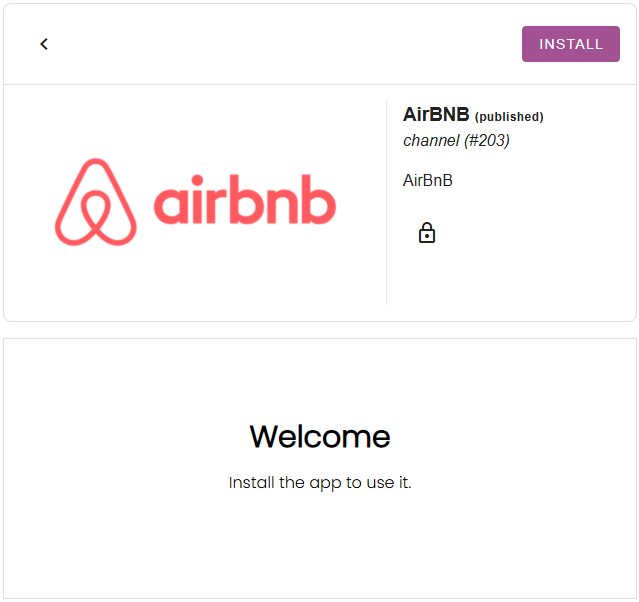
If you don’t see the channel app in the appstore, please contact us at [email protected].
Legen Sie Ihre Tarife fest.
The rates you have set up in Camping.care, can be connected for external channels as well. In the Airbnb app you can select a rate per accommodation:
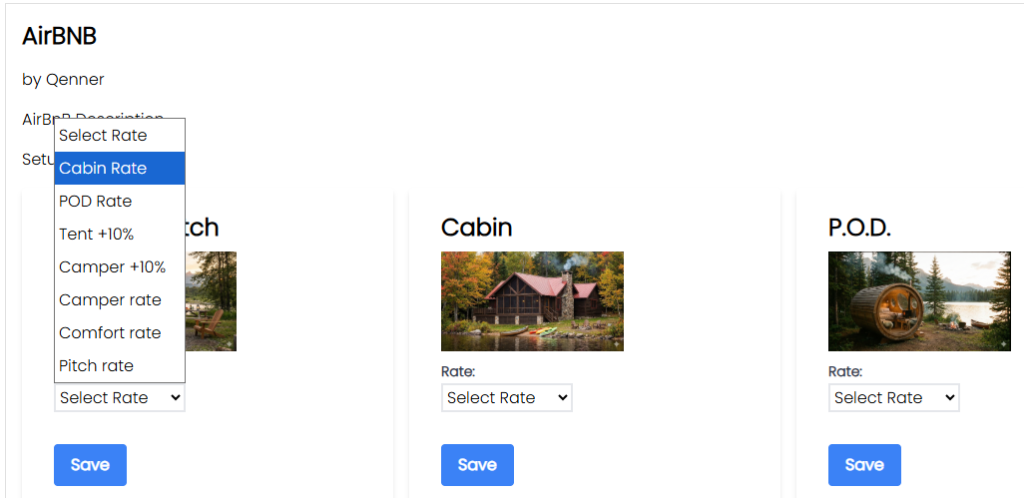
The rate will then be ready for Qenner to send to Airbnb.
Wenn Sie für den Kanal einen anderen Preis als für Ihre eigene Buchungsseite festlegen möchten, können Sie einen berechneten Preis einrichten. Weitere Informationen dazu finden Sie hier. Hier.
Richten Sie Ihre Produkte ein
After you’ve set up your rates, you might want to set up a few products to be booked via Airbnb as well. Under Settings -> Channel Manager -> Products Gegen Aufpreis können Sie weitere Produkte hinzufügen.
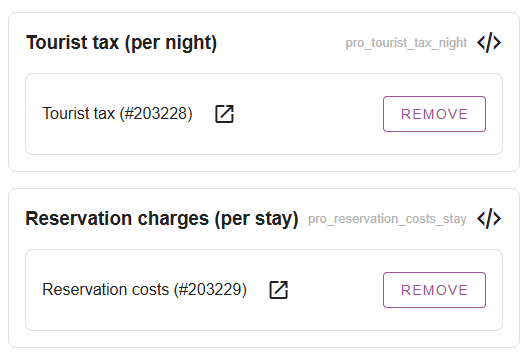
Dies können Kurtaxen, Reservierungskosten, Gebühren für Haustiere usw. sein:
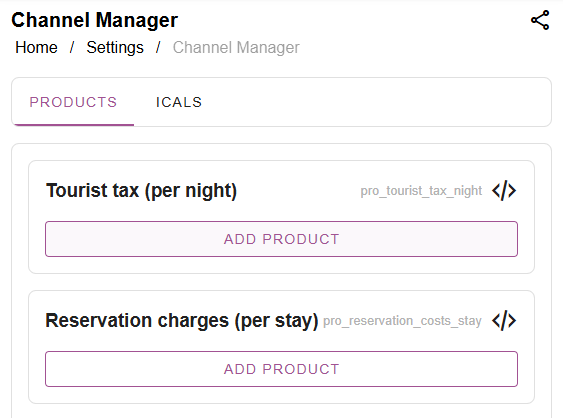
You might want to create seperate products for the channels, instead of using the same products you’re using for your own online bookings. Then simply click on “add product”, search for the product and select it:
Fill in the Onboarding form and notify Qenner
Wichtig: Qenner won’t know for sure when you’re all done setting things up, because you might not have time to finish everything at the same time.
So after you’ve set up your rates and products, you’ll have to fill in this form. The form will give Qenner all the information they need to get started with the set up for Airbnb.
Please also send them an email at [email protected] to let them know you’re all done. And don’t forget the mention your camping name and which channel you’d like to connect.
 German
  English
  Dutch
Dutch  French
  Spanish
  Portuguese
  Italian
  Finnish
  Danish
  Bulgarian
  Swedish