
-
Backoffice / PMS
-
- Vad är iCal-flöden? Och vad kan jag göra med dem.
- Hur man ställer in produkter under boende
- Avbokningar
- Ställa in periodvillkor
- Översikt över boende
- Lägg till nytt boende
- Lägga till priser/skattesatser till ett boende
- Rabatter
- Skatter
- alternativ
- Platser / Rum / Föremål
- Boendeinställningar
- Hur skapar man ett boende?
-
- Hur kan jag arbeta med rapportlistor?
- Hur ändrar jag nästa fakturanummer?
- Fördröj fakturaslutförandet.
- Hur skickar jag PDF- eller UBL-fakturor automatiskt till mitt redovisningssystem?
- Direktbetalningslänkar
- Hur man arbetar med huvudbokskonton
- Fakturamärkning för e-postmeddelanden
- Hur ser fakturaskärmen ut
- Vad är skillnaden mellan koncept- och slutfakturor?
- Hur lägger jag till en produkt på fakturan?
- Hur slutför man en faktura?
- Hur skriver jag ut slutfakturan?
- Vad är en UBL-faktura?
-
- Hur kan jag arbeta med rapportlistor?
- Hur kan gästinformation skrivas över?
- Hur fungerar det att skanna dokument?
- Lägger till gäster
- Formulärinställning
- Gästinställningar
- Hur man skickar ett e-postmeddelande till gästen manuellt
- Hur ändrar jag gästens information?
- Hur fungerar gästspråk?
- Hur fungerar anpassade fält?
- Hur man skapar och använder en blockerad gästlista
-
- Hur kan jag ställa in mina priser?
- Så här konfigurerar du alternativet för sen utcheckning
- Rabatter
- Skatter
- alternativ
- Hur ställer jag in priser för hundar/husdjur?
- Hur skapar jag en Early Bird-rabatt?
- Hur kan jag ändra ett produktpris för olika perioder?
- Snabbguide om hur man uppdaterar priser
- Hur ställer jag in en beräknad ränta?
-
- Hur kan jag arbeta med rapportlistor?
- Att förstå nyckeltal inom hotell- och restaurangbranschen: En guide till ADR och RevPAR/RevPAP
- Exportera betalningar
- Registreringsskyltar
- Kan jag spara min anpassade bokningslista?
- Hur man skapar och använder en blockerad gästlista
- Var hittar man CBS-statistiken?
-
- Hur kan jag arbeta med rapportlistor?
- Kopiera en reservation.
- Hur kan gästinformation skrivas över?
- Hur fungerar det att skanna dokument?
- Felkoder för prisberäkning
- Avbokningar
- Ta bort en reservation från en gruppbokning
- Formulärinställning
- Kombinera två bokningar
- Lägg till en befintlig bokning till en gruppbokning
- Lägg till en ny bokning till en grupp
- Dela upp en bokning
- Ta bort en period i en bokning
- Lägg till dagar till en bokning
- Avbokning av bokning i grupp
- Hur man lägger till en betalning till en bokning
- Hur man lägger till eller ändrar en plats/ett rum/ett objekt i en reservation
- Resenärsinformation
- Hur ändrar jag platsen för en bokning?
- Hur lägger man till en betalning till en bokning?
- Hur man skickar ett e-postmeddelande till gästen manuellt
- Hur ändrar jag kommunikationsspråket för en bokning?
- Hur ändrar jag gästens information?
- Skapa en ny reservation (Backend)
- Hur exporterar jag reservationsdata till Excel?
- Kan jag spara min anpassade bokningslista?
- Hur fungerar avbokningar?
- Vilken typ av reservationsstatus finns det?
- Hur ändrar jag status för en bokning?
- Hur gör jag en bokning?
- Hur fungerar anpassade fält?
- Hur man skapar och använder en blockerad gästlista
- Visa återstående artiklar (17) Komprimera artiklar
-
- Vad är iCal-flöden? Och vad kan jag göra med dem.
- Saldon
- Hur ändrar jag nästa fakturanummer?
- momsgrupper
- Inställningar för onlinebokning
- Arbetsflöden
- Hur aktiverar jag BETA-funktionerna?
- Hur förhindrar jag att e-postmeddelanden markeras som skräppost?
- Hur man ställer in tvåfaktorsautentisering (2FA)
- Hur ställer jag upp en kiosk?
- Särskilda datum
- Formulärinställning
- E-postmeddelanden
- Rabattkort
- Interaktiva kartinställningar
- Fält
- Hur man arbetar med huvudbokskonton
- Fakturamärkning för e-postmeddelanden
- Användare
- Formulärinställning
- Roller
- Leverantörer & metoder
- Inställningar för onlinebokning
- Webbplatsintegration
- Fakturainställningar
- Registreringsskyltar
- Administrationsbilder
- Taggar
- Gästinställningar
- Hur fungerar ålderstabeller?
- Hur fungerar gästspråk?
- Hur loggar jag in med mitt SSO-konto?
- Branding
- Hur fungerar anpassade fält?
- Hur ändrar jag mitt lösenord, användarinställningar och användarnamn?
- Visa återstående artiklar (20) Komprimera artiklar
-
-
Onlinebokning
- Hur kan jag ställa in branding för min onlinebokningsmotor?
- Hur konfigurerar jag den hostade onlinebokningen?
- Vilken typ av onlinebokningsalternativ erbjuder du?
- Enkel och avancerad filtrering
- Inställningar för onlinebokning
- Formulärinställning
- Inställningar för onlinebokning
- Webbplatsintegration
- Hur man ställer in en fördefinierad ankomst och avgång
- Varför ser jag ett pris när det inte finns någon tillgänglighet?
-
App Store / Integrationer
- Prisbegränsare
- Vad är ett API och har ni ett?
- Vad är en MCP-server och har du en?
- Rapportera din INE-statistik
- Var hittar man CBS-statistiken?
-
- Hur ställer jag in Mollie-appen?
- Hur ställer jag in Stripe-appen?
- Hur man ställer in Worldline-appen
- Så här konfigurerar du PayPal-appen
- Hur återbetalar jag pengar via Camping.care Payments?
- Hur tar jag emot kreditkort, iDeal och andra betalningar?
- Hur fungerar E-Guma Voucher-appen?
- Hur man ställer in Mollie-terminaler
-
- Artiklar kommer snart
-
- Hur man konfigurerar Chekin
- Hur konfigurerar jag Fiskaltrust?
- Campez Couvert App
- Så här använder du Datev-appen
- Besöksregistrering för Feratel
- Rapportera din INE-statistik
- Var hittar man CBS-statistiken?
- Omfattande expertanalys av tysk skatteefterlevnad för fastighetsförvaltningssystem Integrering av fiskaltrust Middleware och molnbaserade tekniska säkerhetssystem
-
Försäljningsställe (POS)
-
Självbetjäningskiosk
-
Hårdvara
-
Stöd
-
Prenumerationer
Kopplingen mellan Camping.care och Airbnb sker via en kanalhanterare som heter Qenner.
I Camping.care kan du ställa in dina priser och produkter och Qenner kopplar dem till ditt Airbnb-konto.
Installera appen
I den Camping.care Appstore Du kan installera appen. Öppna bara Airbnb-appen:
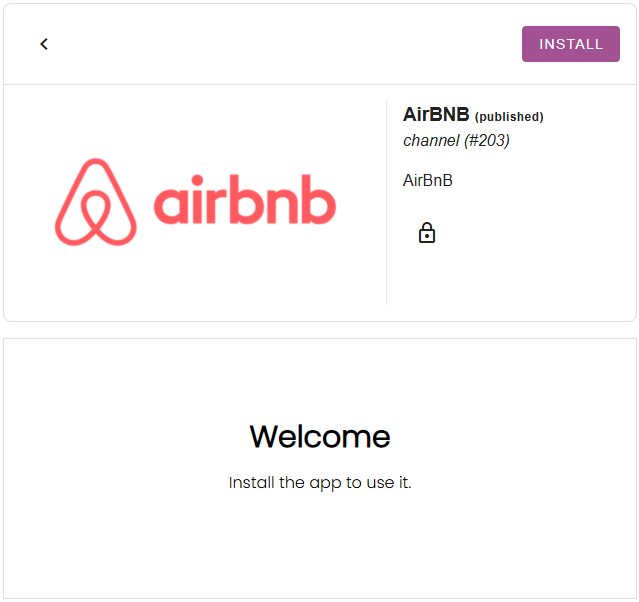
Och klicka sedan på installationsknappen:
Om du inte ser kanalappen i appbutiken, vänligen kontakta oss på support@camping.care.
Ställ in dina priser
De priser du har ställt in i Camping.care kan även kopplas till externa kanaler. I Airbnb-appen kan du välja ett pris per boende:
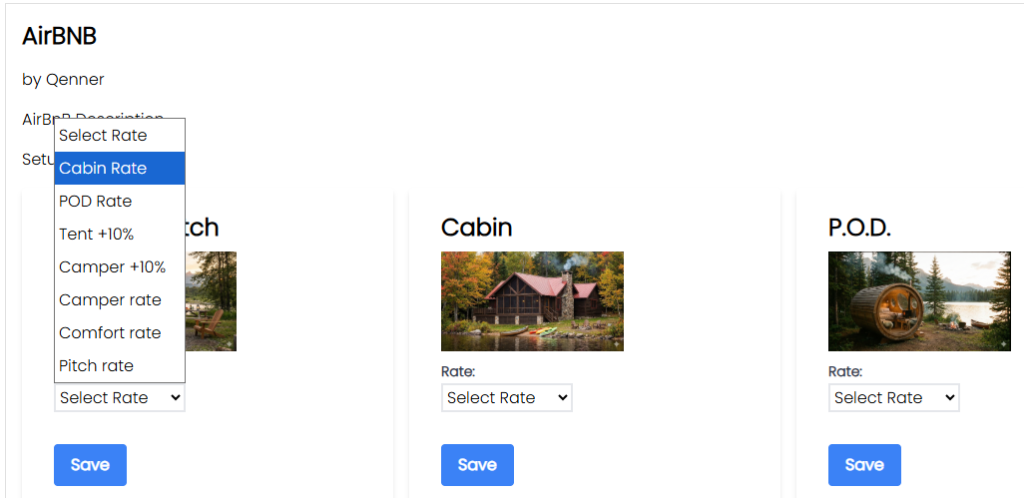
Priset kommer då att vara klart för Qenner att skicka till Airbnb.
Om du vill sätta ett annat pris för kanalen än för din egen bokningssajt kan det vara bra att ställa in ett beräknat pris. Mer information om detta finns här. här.
Konfigurera dina produkter
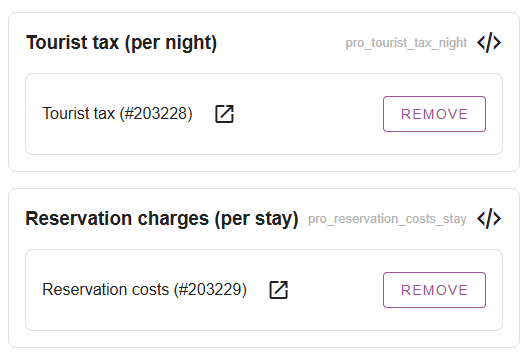
När du har ställt in dina priser kanske du vill ställa in några produkter som ska bokas via Airbnb också. Under Inställningar -> Kanalhanterare -> Produkter Du kan lägga till produkter mot vissa extra avgifter.
Detta kan vara turistskatter, bokningskostnader, avgifter för husdjur etc.:
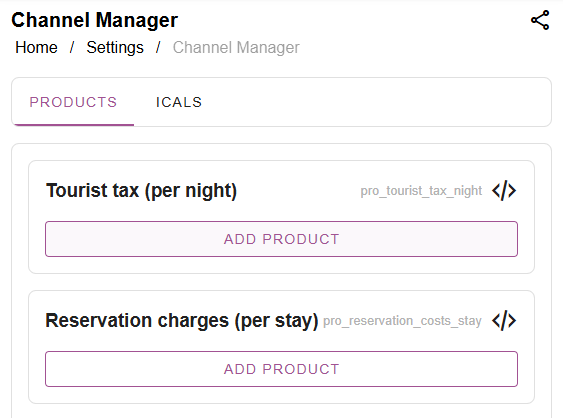
Du kanske vill skapa separata produkter för kanalerna, istället för att använda samma produkter som du använder för dina egna onlinebokningar. Klicka sedan helt enkelt på "lägg till produkt", sök efter produkten och välj den:
Fyll i onboardingformuläret och meddela Qenner
Viktig: Qenner vet inte säkert när du är klar med inställningarna, eftersom du kanske inte har tid att avsluta allt samtidigt.
Så efter att du har ställt in dina priser och produkter måste du fylla i detta formulär. Formuläret ger Qenner all information de behöver för att komma igång med Airbnb-upplägget.
Skicka gärna även ett e-postmeddelande till dem på support@qenner.com för att meddela att du är klar. Och glöm inte att nämna ditt campingnamn och vilken kanal du vill ansluta till.
 Swedish
  English
  Dutch
Dutch  German
  French
  Spanish
  Portuguese
  Italian
  Finnish
  Danish
  Bulgarian