
Why do I see a price when there’s no availability?
Sometimes a guest will see an available accommodation and price, but after clicking “book”, they’ll get an error message saying “There are no places available”. This article explains how and why this happens.
An almost fully booked accommodation
The error message will only pop up when there is still availability for reservation in the accommodation as whole, but not in any 1 specific place. Your accommodation will have to be almost fully booked.
Here’s an example of what it can look like on the schedule board:
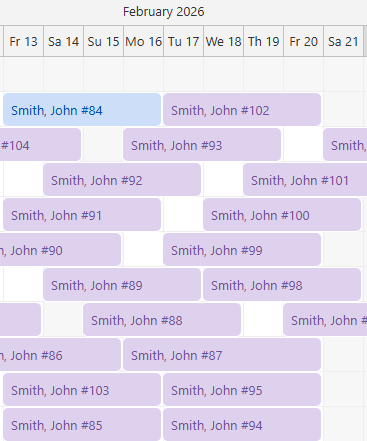
Let’s assume a guest wants to book 9 nights. There is no 1 place with availability for 9 nights in a row. But if we add all the single nights of each place up, the accommodation does actually have 9 nights in a row available:
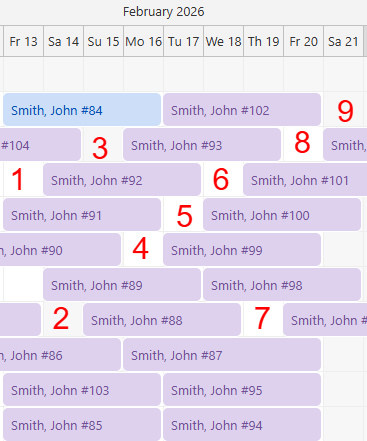
The reservation would have to be put on multiple places, or other reservations will have to be moved. So it’s possible to book the 9 nights, but in this situation the guest would have to move to a different spot each night. Which is of course not what the guest wants.
Why do guests see availability at first, when they can’t book?
In the first overview of the booking engine, we show all the accommodations and the prices for the dates that have been selected. And when we select the period we want, we’ll show the price of the stay because there is availability in that accommodation:

During the first price check, we only check the accommodation as a whole, not individual pitches. This saves a lot of time and ensures guests see prices quickly. If we would check all the individual places before showing a price, guests would be waiting longer before they would see any prices. Attention spans are short, so seconds matter.
As soon as the guest clicks on the “book” button, we do another thorough check. Now we check all the places of the accommodation, to make sure the total selected period will fit on 1 bookable place. If it doesn’t, we won’t allow the booking and we’ll show the guest an error message:
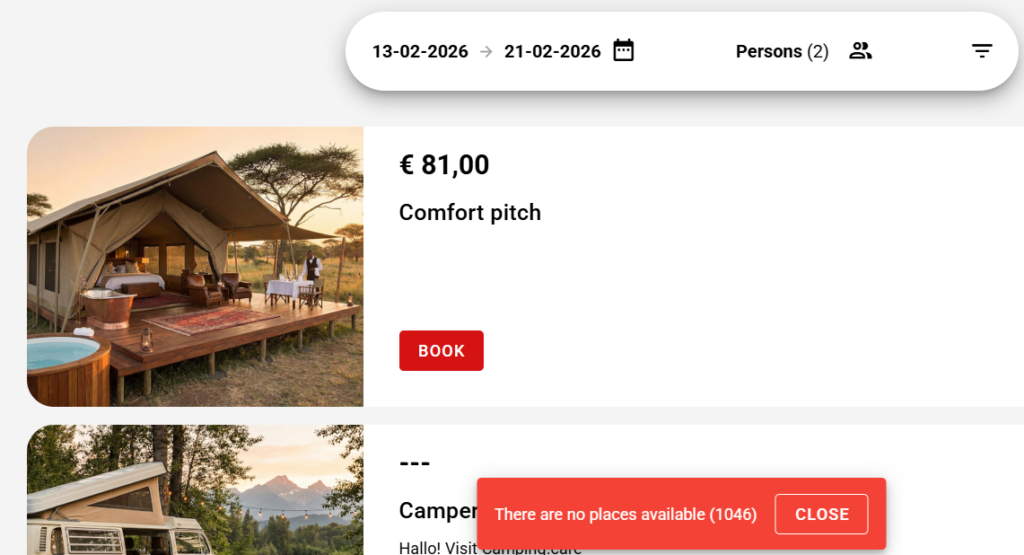
Of course it will be confusing for the guest and you might get questions about it. However, it’s better to answer a question about why they can’t book, then to have to explain to the guest that they have made their reservation, but will have to move every night.
How can I prevent this error message?
There are 3 things you could do to prevent this from happening.
1. The best solution is to optimize your schedule board. This way you’ll maximize your revenue. Move around a few reservations and suddenly you’ll see the actual availability of the accommodation:
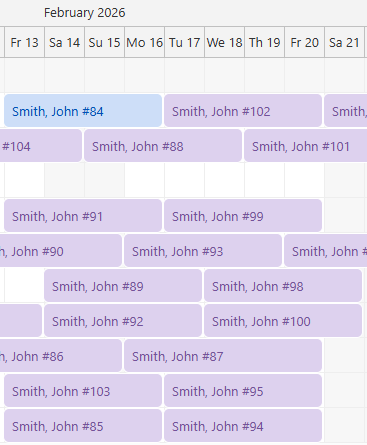
2. If you have a lot of preferred places or simply don’t want to move guests around, you can block the accommodation from being booked for a certain period, by blocking the availability in the rate. More on how to update you rates can be found her.
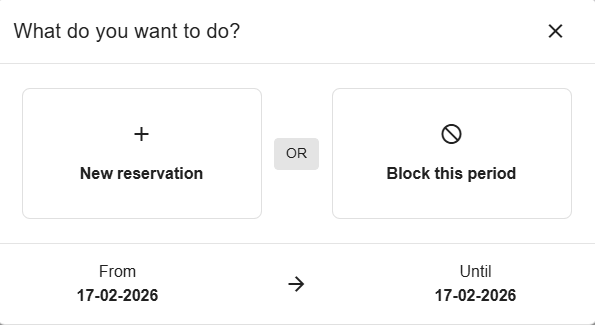
3. You can create a blocked period in the short openings you don’t want to fill anymore. Simply select the period on the schedule board and click “block this period”:
 Danish
  English
  Dutch
Dutch  German
  French
  Spanish
  Portuguese
  Italian
  Finnish
  Bulgarian
  Swedish