
-
Backoffice / PMS
-
- O que são feeds iCal? E o que posso fazer com eles?
- Como configurar produtos em acomodações
- Cancelamentos
- Definir condições de período
- Visão geral das acomodações
- Adicionar nova acomodação
- Adicionar preços/tarifas a uma acomodação
- Descontos
- Impostos
- Opções
- Lugares / Salas / Objetos
- Configurações de acomodação
- Como montar um alojamento?
-
- Como posso trabalhar com listas de relatórios?
- Como faço para alterar o próximo número da fatura?
- Atrasar a finalização da fatura.
- Como faço para enviar faturas em PDF ou UBL automaticamente para o meu sistema de contabilidade?
- Links de pagamento direto
- Como trabalhar com contas contábeis
- Marca de fatura para e-mails
- Como é a tela da fatura?
- Qual é a diferença entre fatura conceitual e fatura final?
- Como adiciono um produto à fatura?
- Como finalizar uma fatura?
- Como imprimo a fatura final?
- O que é uma fatura UBL?
-
- Como posso trabalhar com listas de relatórios?
- Como as informações dos hóspedes podem ser substituídas?
- Como funciona o Scan Document?
- Adicionando convidados
- Configuração do formulário
- Configurações de convidados
- Como enviar um e-mail para o hóspede manualmente
- Como posso modificar as informações do hóspede?
- Como funcionam os idiomas convidados?
- Como funcionam os campos personalizados?
- Como criar e usar uma lista de convidados bloqueados
-
- Como posso configurar meus preços?
- Como configurar a opção de check-out tardio
- Descontos
- Impostos
- Opções
- Como configuro preços para cães/animais de estimação?
- Como configuro um desconto Early Bird?
- Como posso alterar o preço de um produto para períodos diferentes?
- Guia rápido sobre como atualizar preços
- Como faço para configurar uma taxa calculada?
-
- Como posso trabalhar com listas de relatórios?
- Copiar uma reserva.
- Como as informações dos hóspedes podem ser substituídas?
- Como funciona o Scan Document?
- Códigos de erro de cálculo de preço
- Cancelamentos
- Remover uma reserva de uma reserva de grupo
- Configuração do formulário
- Combine duas reservas
- Adicionar uma reserva existente a uma reserva de grupo
- Adicionar uma nova reserva a um grupo
- Dividir uma reserva
- Remover um período dentro de uma reserva
- Adicionar dias a uma reserva
- Cancelamento de uma reserva em grupo
- Como adicionar um pagamento a uma reserva
- Como adicionar ou alterar um lugar/quarto/objeto em uma reserva
- Informações do viajante
- Como faço para alterar o local de uma reserva?
- Como adicionar um pagamento a uma reserva?
- Como enviar um e-mail para o hóspede manualmente
- Como altero o idioma de comunicação para uma reserva?
- Como posso modificar as informações do hóspede?
- Criar uma nova reserva (Backend)
- Como exporto dados de reservas para Excel?
- Posso salvar minha lista de reservas personalizada?
- Como funcionam os cancelamentos?
- Que tipo de status de reserva existem?
- Como posso alterar o estado de uma reserva?
- Como faço uma reserva?
- Como funcionam os campos personalizados?
- Como criar e usar uma lista de convidados bloqueados
- Mostrar artigos restantes (17) Recolher artigos
-
- O que são feeds iCal? E o que posso fazer com eles?
- Saldos
- Como faço para alterar o próximo número da fatura?
- Grupos de IVA
- Configurações de reserva online
- Fluxos de trabalho
- Como habilito os recursos BETA?
- Como evito que e-mails sejam marcados como Spam?
- Como configurar a autenticação de dois fatores (2FA)
- Como faço para configurar um quiosque?
- Datas especiais
- Configuração do formulário
- E-mails
- Cartões de desconto
- Configurações do mapa interativo
- Campos
- Como trabalhar com contas contábeis
- Marca de fatura para e-mails
- Usuários
- Configuração do formulário
- Funções
- Provedores e métodos
- Configurações de reserva online
- Integração de site
- Configurações de fatura
- Matrículas
- Imagens de administração
- Tag
- Configurações de convidados
- Como funcionam as tabelas de idade?
- Como funcionam os idiomas convidados?
- Como faço login com minha conta SSO?
- Marca
- Como funcionam os campos personalizados?
- Como faço para alterar minha senha, configurações de usuário e nome de usuário?
- Mostrar artigos restantes (20) Recolher artigos
-
-
Marcação online
- Como posso configurar a marca do meu mecanismo de reservas online?
- Como configuro a reserva on-line hospedada?
- Que tipo de opções de reserva on-line você oferece?
- Filtragem simples e avançada
- Configurações de reserva online
- Configuração do formulário
- Configurações de reserva online
- Integração de site
- Como configurar horários de chegada e partida predefinidos
-
App Store / Integrações
-
- Como configurar o aplicativo Mollie?
- Como configurar o aplicativo Stripe?
- Como configurar o aplicativo Worldline
- Como configurar o aplicativo PayPal
- Como faço para reembolsar dinheiro através do Camping.care Payments?
- Como recebo cartão de crédito, iDeal e outros pagamentos?
- Como funciona o App Voucher E-Guma?
- Como configurar terminais Mollie
-
- Como se conectar ao Feratel
- Como se conectar ao Pitchup.com
- Como me conecto ao Booking.com?
- Como funciona a conexão ACSI/ Camping.info?
- Problemas com reserva via Booking.com
- Como faço para conectar ao ACSI e ao Camping.info?
- Como faço para me conectar a um canal Qenner?
- Como faço para me conectar ao Airbnb?
-
- Artigos em breve
-
-
Ponto de Venda (PDV)
-
Quiosque de autoatendimento
-
Hardware
-
Apoiar
-
Assinaturas
The connection between Camping.care and Airbnb is done via a channel manager called Qenner.
In Camping.care you can set up your prices and products and Qenner will connect them to your Airbnb account.
Instale o aplicativo
No Camping.care Appstore you can install the app. Simply open the Airbnb app:
Em seguida, clique no botão Instalar:
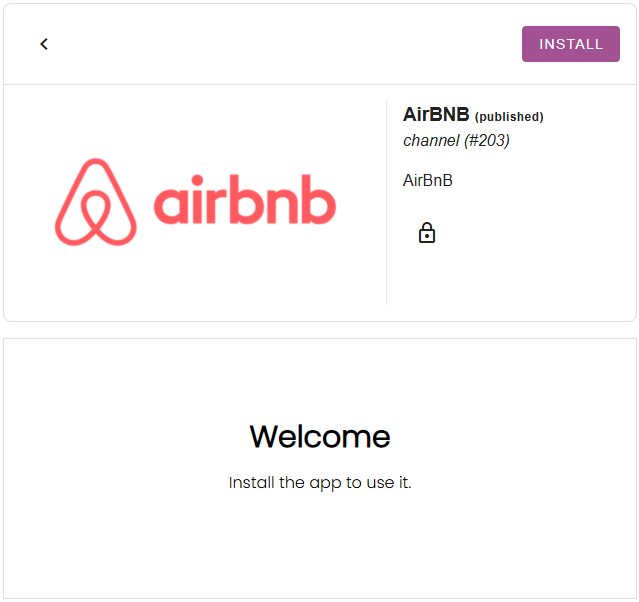
If you don’t see the channel app in the appstore, please contact us at [email protected].
Defina suas tarifas
The rates you have set up in Camping.care, can be connected for external channels as well. In the Airbnb app you can select a rate per accommodation:
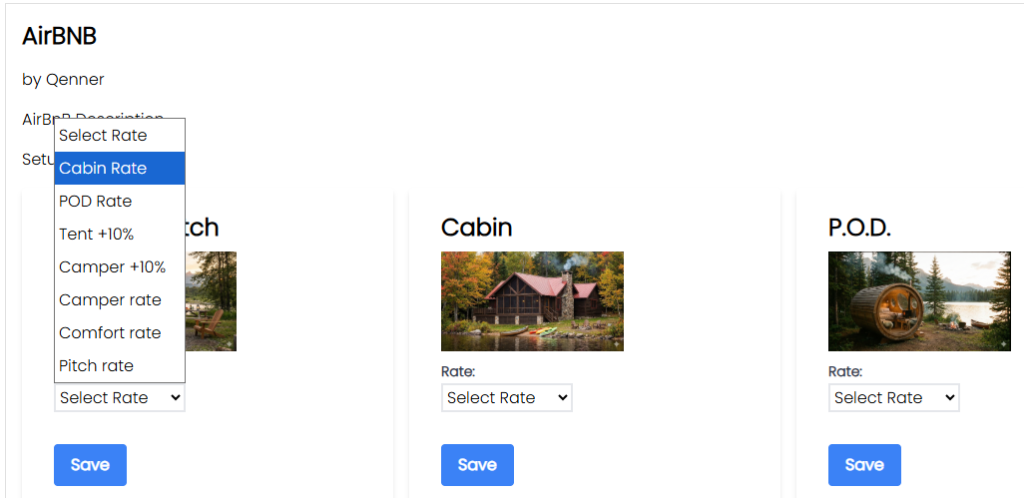
The rate will then be ready for Qenner to send to Airbnb.
Se você deseja definir um preço diferente para o canal em comparação com o seu próprio site de reservas, pode configurar uma tarifa calculada. Mais informações sobre isso podem ser encontradas [aqui]. aqui.
Configure seus produtos
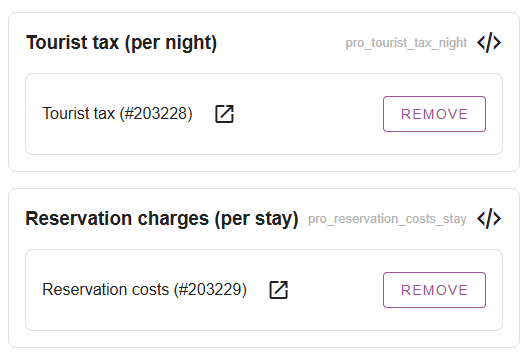
After you’ve set up your rates, you might want to set up a few products to be booked via Airbnb as well. Under Settings -> Channel Manager -> Products Você pode adicionar produtos mediante o pagamento de taxas adicionais.
Isso pode incluir taxas turísticas, custos de reserva, taxas para animais de estimação, etc.
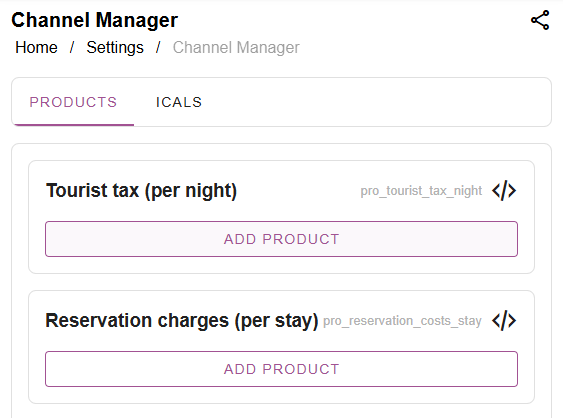
You might want to create seperate products for the channels, instead of using the same products you’re using for your own online bookings. Then simply click on “add product”, search for the product and select it:
Fill in the Onboarding form and notify Qenner
Importante: Qenner won’t know for sure when you’re all done setting things up, because you might not have time to finish everything at the same time.
So after you’ve set up your rates and products, you’ll have to fill in this form. The form will give Qenner all the information they need to get started with the set up for Airbnb.
Please also send them an email at [email protected] to let them know you’re all done. And don’t forget the mention your camping name and which channel you’d like to connect.
 Portuguese
  English
  Dutch
Dutch  German
  French
  Spanish
  Italian
  Finnish
  Danish
  Bulgarian
  Swedish