
How do I connect to a Qenner channel?
The connections between Camping.care and a number of channels is done via a channel manager called Qenner.
In Camping.care you can set up your prices and products and Qenner will connect them to the external booking channel.
What are the Qenner channels I can choose?
Here is an overview of the channels we currently connect with via Qenner:
| AirBNB | Ctoutvert | Roompot |
| All Yourz | Eezz.nl | Suncamp Holidays |
| Belvilla | Expedia | Traumferienwohnungen |
| Bestcamp | Glampings 4 All | Trekkershutten.nl |
| BookUnited | Glampings.com | Tui |
| Bungalow.net | HeerlijkeHuisjes | Vakantieboerderij Nederland |
| Bungalows.nl | Holidu | Vipio |
| Bungalowspecials | In het Groen | Vodatent |
| CamperContact | Leading Campings of Europe | Voordeeluitjes |
| Campgo | Micazu | VVV Ameland |
| Camping Vision Group (AllCamps, Luxcamp, Danskfriferie, Danskbilferie) | Natuurhuisje | VVV Terschelling |
| Campings & Co | Pitchup.com | VVV Texel |
| Campings.com | Rent-a-Tent | VVV Waterland |
Install the app
In the Camping.care Appstore you can install the app. Simply open the app. Here we’re using CamperContact as an example:
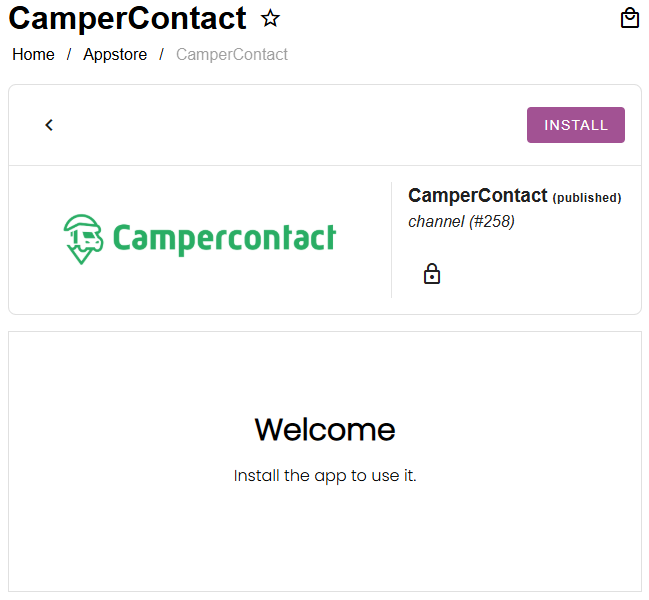
And then click the install button:
If you don’t see the channel app you’re looking for in the appstore, please contact us at [email protected].
Set up your rates
The rates you have set up in Camping.care, can be connected for external channels as well. In each Qenner app you can select a rate per accommodation:
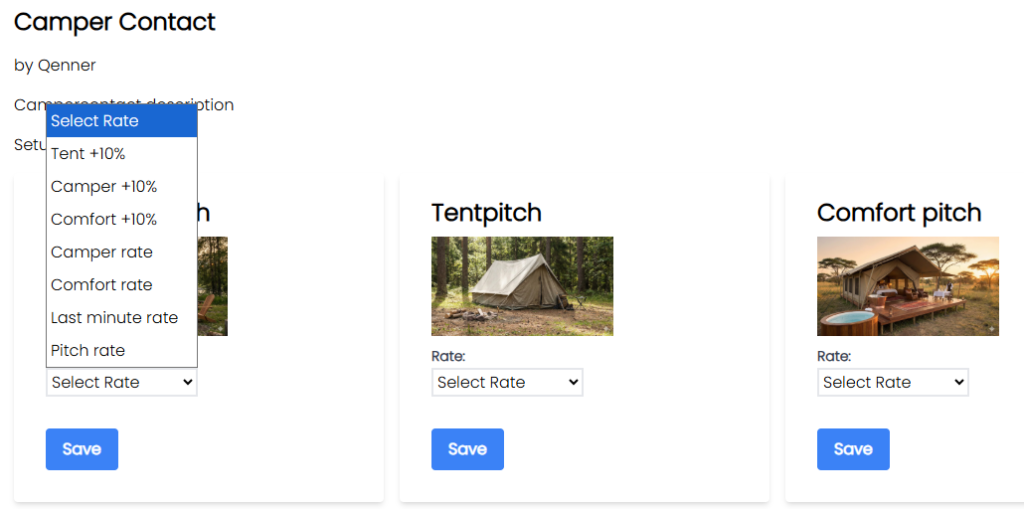
The rate will then be ready for Qenner to send to the booking channel.
If you would like to set a different price for the channel as for your own booking site, you might want to set up a computed rate. More information about this can be found here.
Set up your products
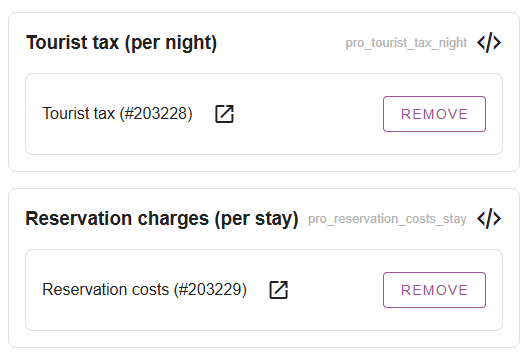
After you’ve set up your rates, you might want to set up a few products to be booked via the channels as well. Under Settings -> Channel Manager -> Products you can add products for certain additional charges.
This can be tourist taxes, reservation costs, pet fees etc:
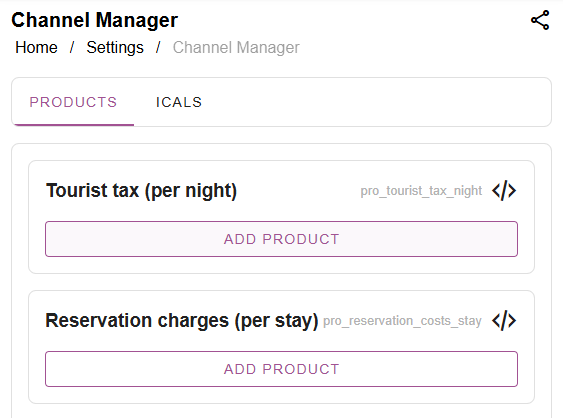
You might want to create seperate products for the channels than you’re using for your own online bookings. Then simply click on “add product”, search for the product and select it:
Notify Qenner after the setup has been completed
Qenner won’t know for sure when you’re all done setting things up, because you might not have time to finish everything at the same time. So after you’ve set up your rates and products, you’ll have to let Qenner know they can now connect the channel.
You can easily notify them by clicking the blue “Notify Qenner” button in the channel app in the appstore:
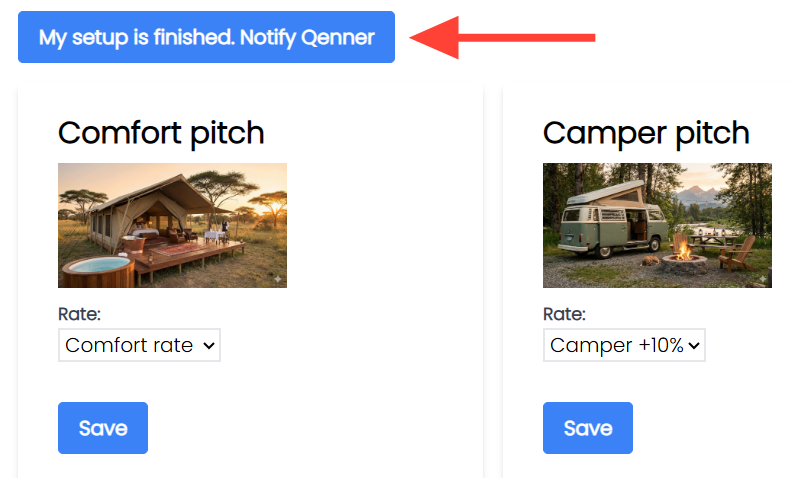
This will send an automated message to Qenner, letting them know what channel should be set up. They’ll start setting up the channel and if they have any questions, they’ll contact you.
Keep in mind what Qenner Does or does NOT use!
There are a lot of settings you can do for an accommodation in Camping.care, most settings in the “Accommodations” section aren’t something Qenner will look at.
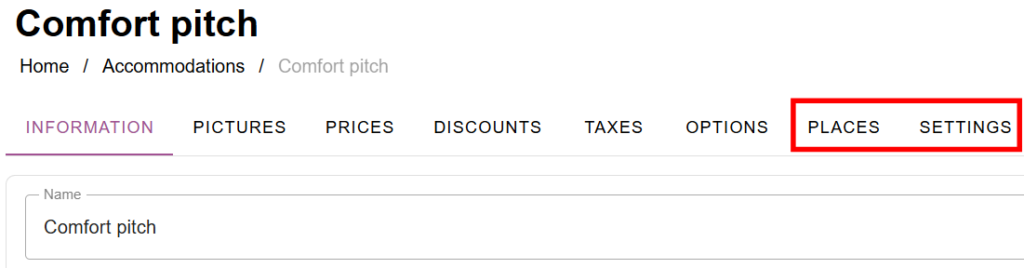
Qenner will use some information from the Places and Settings tab, like how many places can be booked, or what the min/max allowed guests are in an accommodation:
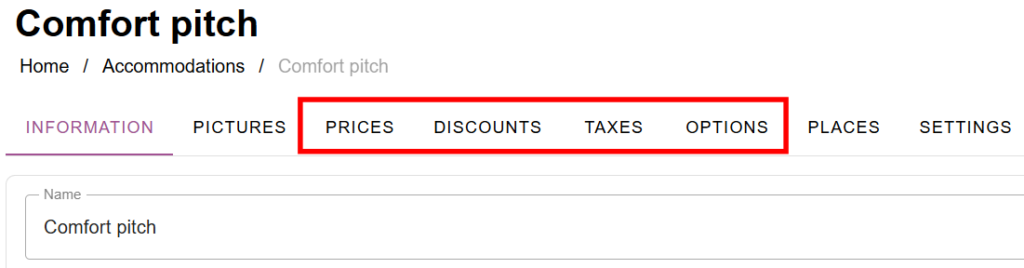
However, all the things you’ve set up under the tabs Prices, Discounts, Taxes, Options, will NOT be used by Qenner:
That’s why you have to set up the prices and products as discribed above before notifying Qenner.
 English
  Dutch
Dutch  German
  French
  Spanish
  Portuguese
  Italian
  Finnish
  Danish
  Bulgarian
  Swedish