
-
Backoffice / PMS
-
- What are iCal feeds? And what can I do with them.
- How to set up products under accommodations
- Cancellations
- Setting period conditions
- Accommodations overview
- Add new accommodation
- Adding Prices / Rates to an accommodation
- Discounts
- Taxes
- Options
- Places / Rooms / Objects
- Accommodation settings
- How to set up an accommodation?
-
- How can I work with report lists?
- How do I change the next invoice number?
- Delay invoice finalization.
- How do I send PDF or UBL invoices to my Accountancy System automatically?
- Direct payment links
- How to work with ledger accounts
- Invoice branding for e-mails
- How does the invoice screen looks like
- What is the difference between concept and final invoices?
- How do I add a product to the invoice?
- How to finalize an invoice?
- How do I print the final invoice?
- What is a UBL invoice?
-
- How can I work with report lists?
- How can guest information be overwritten?
- How does the Scan Document work?
- Adding guests
- Form setup
- Guests settings
- How to send an email to the guest manually
- How do i modify the informations of the guest?
- How do guest languages work?
- How do custom fields work?
- How to Create and Use a Blocked Guest List
-
- How can I work with report lists?
- Copy a reservation.
- How can guest information be overwritten?
- How does the Scan Document work?
- Price calculation error codes
- Cancellations
- Remove a reservation from a group booking
- Form setup
- Combine two bookings
- Add a existing booking to a group booking
- Add a new booking to a group
- Split a booking
- Remove a period within a booking
- Add days to a booking
- Cancellation of a booking in a group
- How to add a payment to a reservation
- How to add or change a place / room / object in a reservation
- Traveller info
- How do I change the place of a reservation?
- How to add a payment to a reservation?
- How to send an email to the guest manually
- How do I change the communication language for a reservation?
- How do i modify the informations of the guest?
- Create a new reservation (Backend)
- How do I export reservation data to excel?
- Can I save my custom reservations list?
- How do cancellations work?
- What kind of reservation statuses are there?
- How do I change the status of a booking?
- How do I make a reservation?
- How do custom fields work?
- How to Create and Use a Blocked Guest List
- Show Remaining Articles (17) Collapse Articles
-
- What are iCal feeds? And what can I do with them.
- Balances
- How do I change the next invoice number?
- VAT Groups
- Online Booking Settings
- Workflows
- How do I enable the BETA Features?
- How do I prevent emails to be marked as Spam?
- How to setup two factor authentication (2FA)
- How do I set up a Kiosk?
- Special dates
- Form setup
- E-mails
- Discount cards
- Interactive map settings
- Fields
- How to work with ledger accounts
- Invoice branding for e-mails
- Users
- Form setup
- Roles
- Providers & methods
- Online Booking Settings
- Website Integration
- Invoice settings
- License Plates
- Administration images
- Tags
- Guests settings
- How do age tables work?
- How do guest languages work?
- How do I login with my SSO account?
- Branding
- How do custom fields work?
- How do I change my password, user settings and username?
- Show Remaining Articles (20) Collapse Articles
-
-
Online booking
-
App Store / Integrations
-
- Articles coming soon
-
Point of Sale (POS)
-
Self Service Kiosk
-
Hardware
-
Support
-
Subscriptions
Originally written in English, any translations errors should be checked against the original atricle
Use an external payment provider
We have connected several external payment providers like Stripe, Mollie, Worldline and Pay. These can be installed via the AppStore. To do so, login and go to the AppStore. Find the payment provider and install the app.
Use our integrated payment solution
BETA: Our integrated payment solution is currently in BETA. To use it, make sure you enable BETA features.
Integrating with our own payment solution is very easy. Login and go to: Settings -> Providers & Methods.
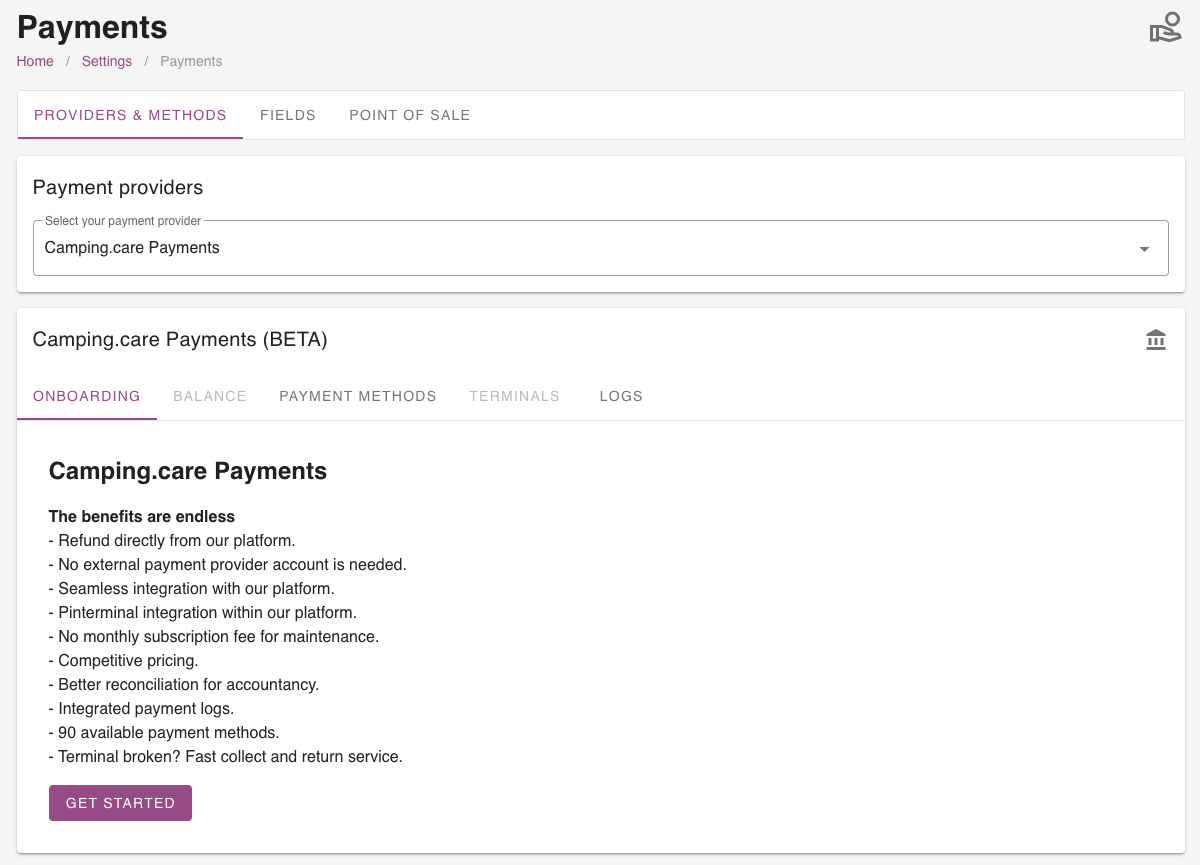
Now you will find the information screen and the ‘Get started‘ button. Click this button to start the onboarding process. In the next step you need to add some additional information to start the onboarding process.
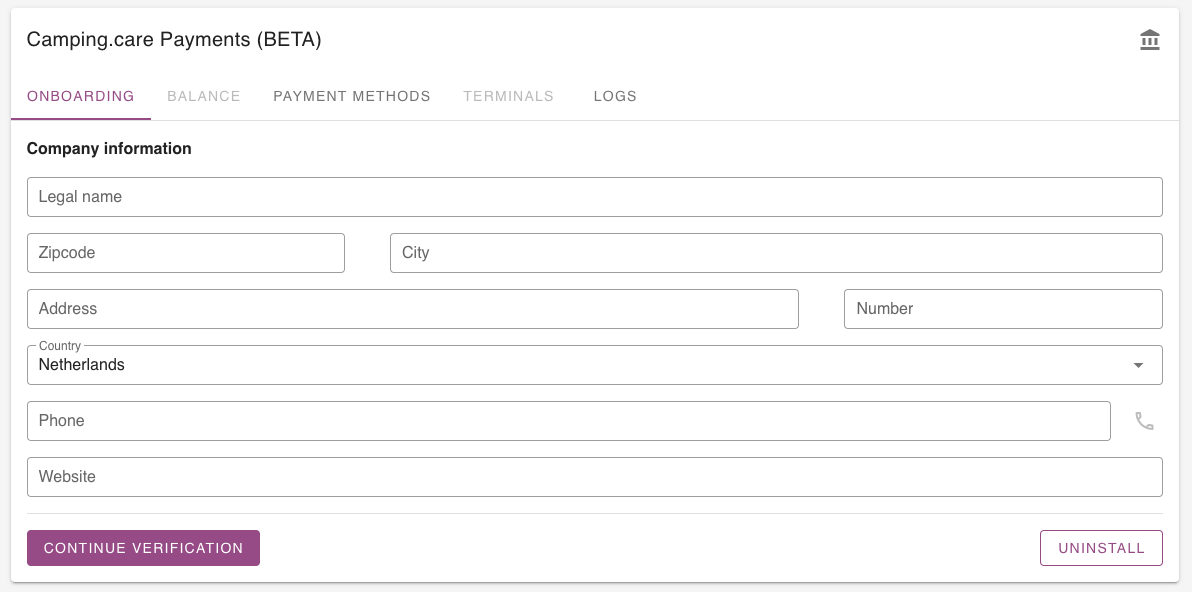
If you have filled in all the fields click on ‘Continue verification’, if all the information is valid you are able to start the onboarding process. You wil be redirected to the onboarding page of the payment provider. They will perform a KYC (Know Your Customer) check to make sure your legal identity is solid and they check your bankaccount.
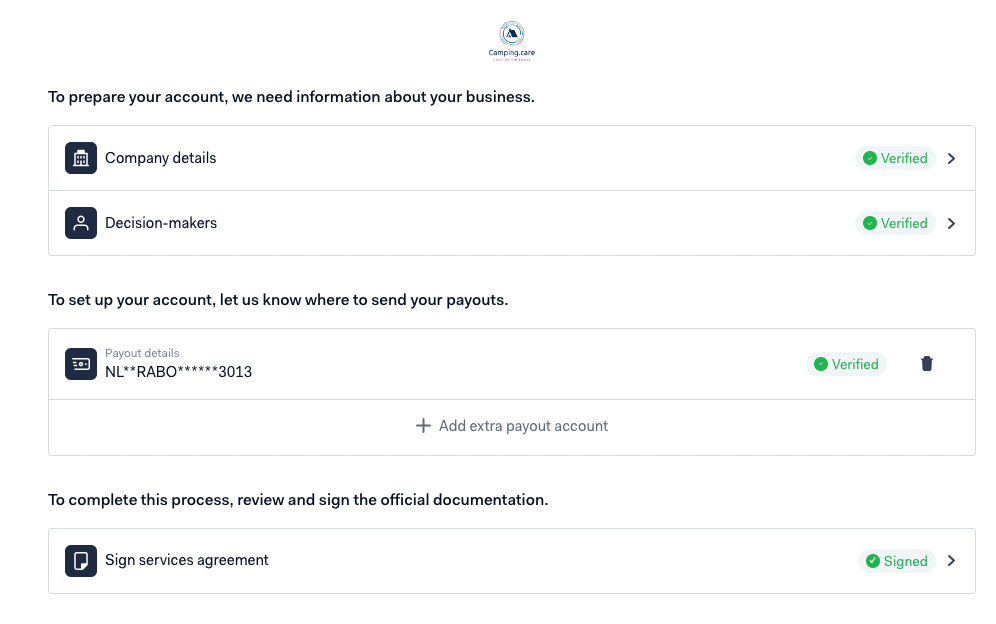
If everything is green / verified you are able to receive online payments (Creditcard, iDeal, Klarna etc.) and we are able to pay you out.
Payment Methods
Go to: Settings -> Providers & Methods -> Methods to select they payment methods you want to use. You can easily enable them with the switch on the right.
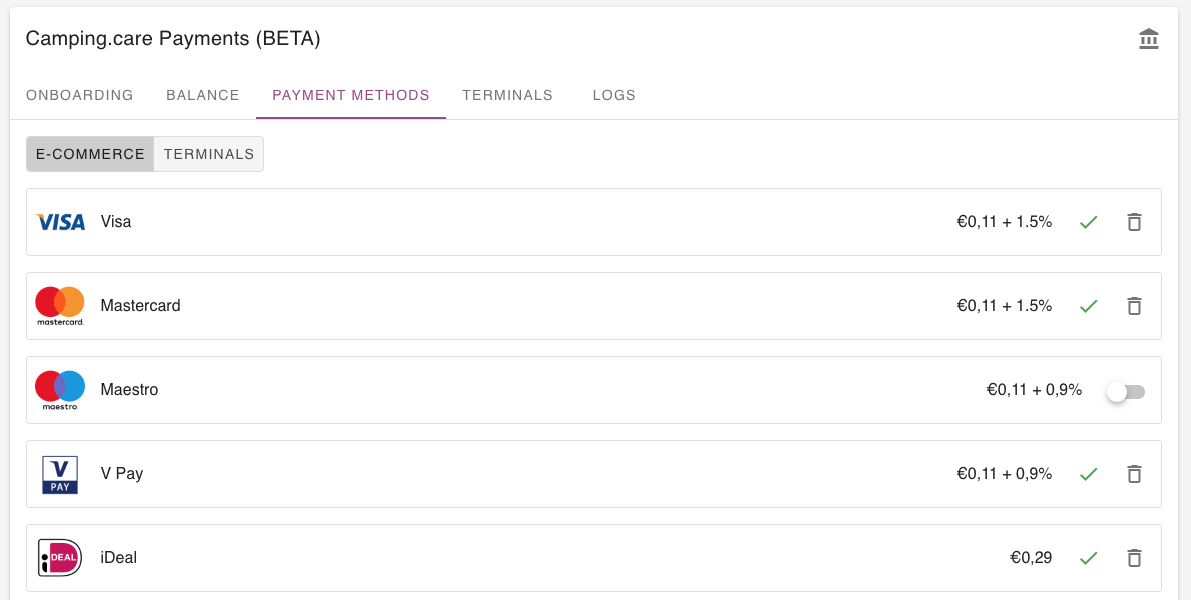
It can take a while (~20 mins) before your request have been approved.
Pin terminals
On the terminals tab you will find the pin terminals connected to your account. Click ‘Connect‘ to make them visible in your account and start receiving pin transactions.
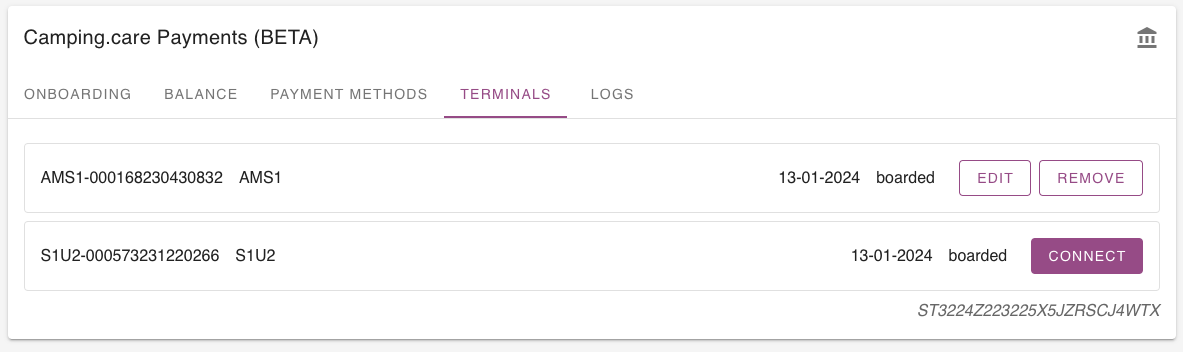
Order terminals
We have different pin terminals of different purposes. Like an wireless terminal that is portable or a wired terminal for the reception or kiosk. Please contact us to order your pin terminal.
What is KYC (Know Your Customer)?
In an increasingly global economy, financial institutions are more vulnerable to illegal criminal activities. Know Your Customer (KYC) standards are designed to protect financial institutions from fraud, corruption, money laundering and terrorist financing.
KYC involves several steps to:
- establish customer identity;
- understand the nature of customers’ activities and qualify that the source of funds is legitimate;
- and assess customers’ money laundering risks.
Activate payments

Is the status of accept payments ‘valid’? Then you are able to activate the payments for online booking. This can be done at the top of the page. Once activated, customers are able to process payments.