
How to connect to Pitchup.com
Introduction About Pitchup
Pitchup.com acts as booking agent for the campsites and other service providers advertised on the website www.pitchup.com
Prerequisits:
To connect to Pitchup you have to have an Pitchup account.
You have to have setup your accommodations and for each accommodation you have to have added one rate.
Setup
Install the app.

Settings
For the setup you have to use the API key which is povided in the Pitchup dashboard.
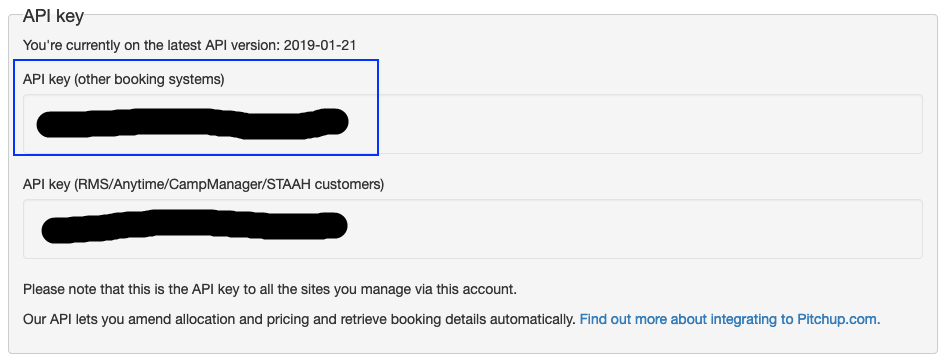
Provide the api key in the settings tab

Save the api key, if the api key is correct the campsite will automatically being added to the main menu.

You can now open the Campsite:
On the campsite level you can connect your Pitchup accommodations to the camping.care accommodations.

If you now open the accommodation you can select the rates.
You can deduct a number of available pitches you can send to Pitchup per day with a certain amount.
You can then connect the pitchup rate to a rate configured in Camping.care
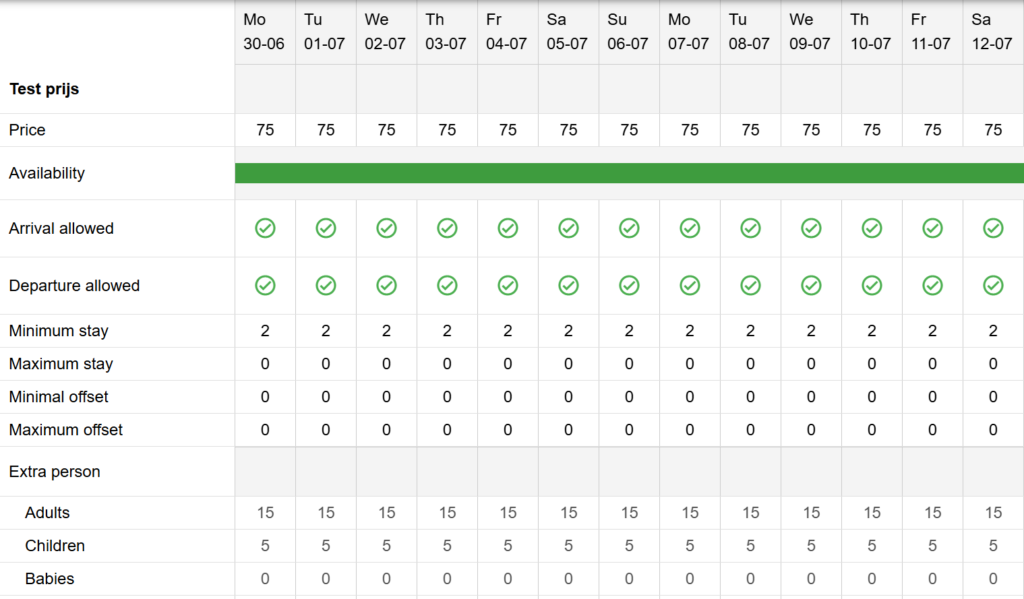
All data of prices will be taken into consideration.
Regarding the Extra persons in the example above there are 3 categories.
Pitchup only supports 3 categories and these will be taken into consideration.
Pitchup Adult -> has to be mapped to the age table with the category adults
Pitchup Child -> has to be mapped to the age table with the category children
Pitchup Infant -> has to be mapped to the age table with the category young_children
Product Settings
If you added products to Pitchup as extra products you can map these to camping.care products so they will get the right ledger number and product id when they are added to the camping.care invoice.
Production
When this is setup all prices and availability will be send to Pitchup.com in realtime.* If you change a rate in the rate table it will be send to pitchup directly. We also try to map the pricing in the age tables to the right age tables in pitchup for the extra persons but cannot guarantee that this will work if the age tables differ to much.
When a booking is made the booking will automatically be added to the camping.care system.
If a payment is made or a booking is cancelled we will update the booking. (Beta)
Notes
* Synchronisation problems can occur and these are logged in our logging system (Settings->logs or Pitchup.com app -> Logs) We cannot garentee a succesfull sync, you have to check the price synchronisation in Booking.com after you have made changes in Camping.care
** Pitchup.com is sometimes offline and also communicate it to us, we get a api outage message from Pitchup.com. In this timeframe it can occure that bookings are not communicated to Camping.care.
 English
  Dutch
Dutch  German
  French
  Spanish
  Portuguese
  Italian
  Finnish
  Danish
  Bulgarian
  Swedish