
How Do I setup ICY?
ICY is a supplier of Energy measurements and thermostatats. At the moment we only support the energy measurement system of ICY. The app will automatically add energy measurements from LIVE ICY data.
Prerequisits
To start with ICY and Camping.care you need the API credentials from ICY and off course all hardware installed on your campsite.
Setup
When you have the credetials you will be able to insert them in the settings screen.
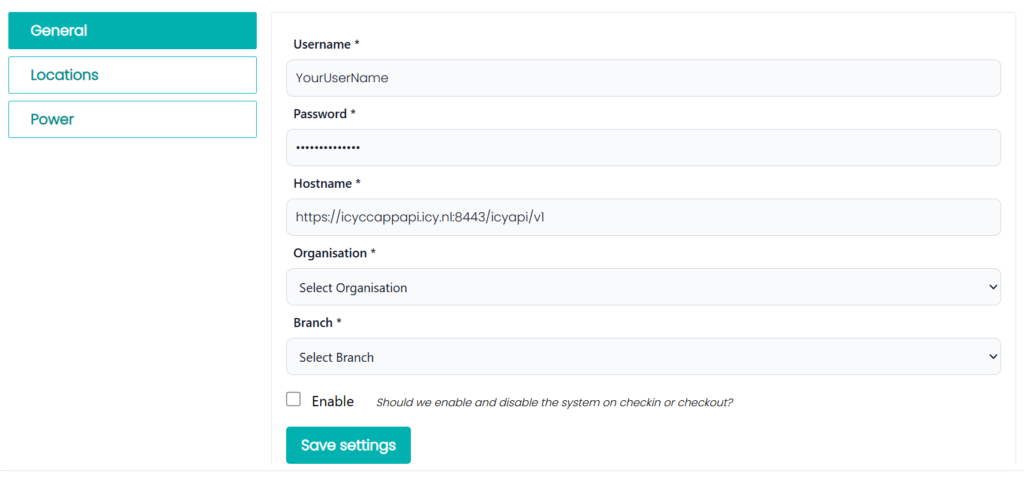
If the credentials are correct the Organisation and Branch will be automatically loaded in the system and you can select the Organisation and Branch you want to manage.
When the Organisation and Branch is selected we will contact ICY and requestt all configured Places which are available in the locations tab
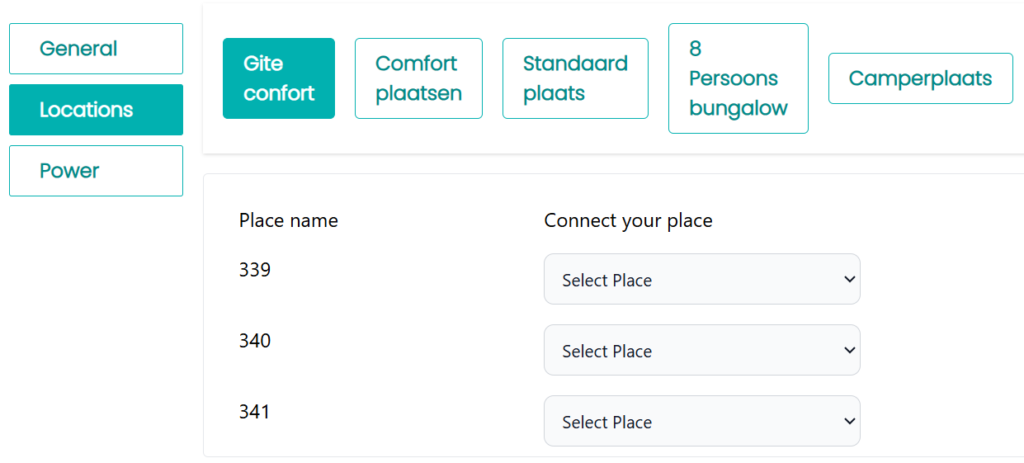
In the locations screen you will be able to connect the Pitches in Camping.care with the measurement devices of ICY. The devices from ICY will be listed in the dropdown menu.
If not all devices are there or you added new devices in your system you can save the credentials in the General tab and then the ICY devices list will be refreshed.
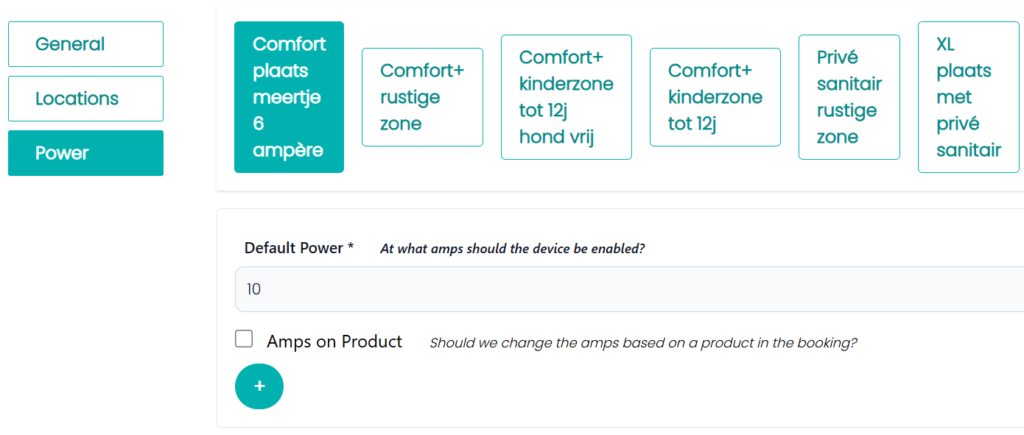
In the power section you can select the default power which is used to enable the ICY devices. If you want to upsell the energy using a product we can also add a product to the list. If the Product is added to the reservation the ICY device automatically starts on an other amp value.
Usage
If the system is enabled the system automatically start measuring data in an interval of 2 hours. It will add the live data from the ICY device to the energy section of Camping.care.
If a reservation is checked in and the system is enabled the device will automatically be enabled using the amps setup for the specific accommodation. If a product with a upsell is selected it will enabled with the extra amps configured.
While enabling the ICY device we also get an extra measurement from the device and add it to Camping.care
During Checkout we disable the ICY device and add an extra measurement to the system.
You can then use the regular Energy system to create the invoice.
Booking Widget
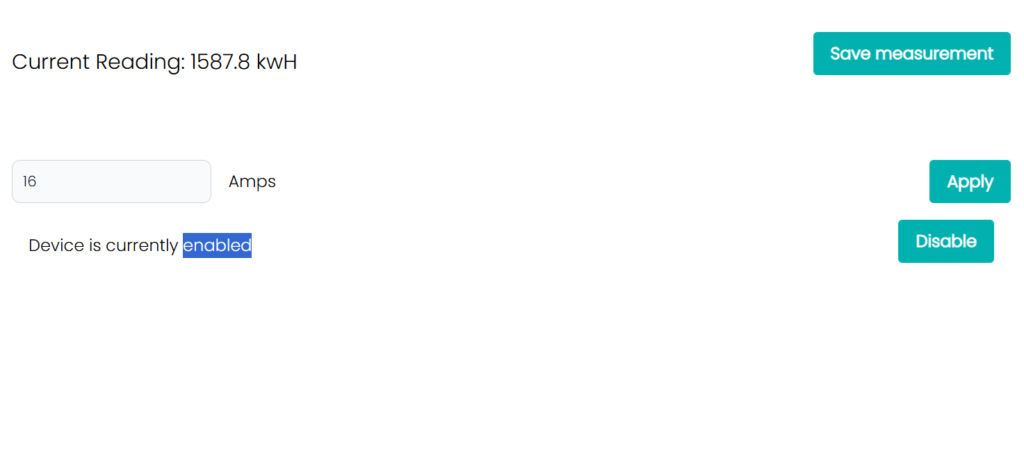
If you add the ICY app an extra widget is added to the reservation as a tab. If the reservation has a place asigned and it is configured in the ICY app the above screen is shown. You can see the current live measuremnt value and save the measurement as an extra measurement to camping.care
You can manually also see and change the amount of amps which is used for the ICY device
Also you can see the acrual status, in this case the ICY device is enabled and you can disable it.
 English
  Dutch
Dutch  German
  French
  Spanish
  Portuguese
  Italian
  Finnish
  Danish
  Bulgarian
  Swedish