
Come mi collego a un canale Qenner?
Le connessioni tra Camping.care e un certo numero di canali vengono effettuate tramite un gestore di canali chiamato Qenner.
In Camping.care puoi impostare i tuoi prezzi e prodotti e Qenner li collegherà al canale di prenotazione esterno.
Quali sono i canali Qenner che posso scegliere?
Ecco una panoramica dei canali a cui ci colleghiamo attualmente tramite Qenner:
| Airbnb | Ctoutvert | Roompot |
| All Yourz | Eezz.nl | Suncamp Holidays |
| Belvilla | Expedia | Traumferienwohnungen |
| Bestcamp | Glampings 4 All | Trekkershutten.nl |
| BookUnited | Glampings.com | Tui |
| Bungalow.net | HeerlijkeHuisjes | Vakantieboerderij Nederland |
| Bungalows.nl | Holidu | Vipio |
| Bungalowspecials | In het Groen | Vodatent |
| CamperContact | Leading Campings of Europe | Voordeeluitjes |
| Campgo | Micazu | VVV Ameland |
| Gruppo Camping Vision (AllCamps, Luxcamp, Danskfriferie, Danskbilferie) | Natuurhuisje | VVV Terschelling |
| Campeggi & Co | Pitchup.com | VVV Texel |
| Campeggi.com | Rent-a-Tent | VVV Waterland |
Installa l'app
Nel Appstore di Camping.care Puoi installare l'app. Basta aprirla. Qui usiamo CamperContact come esempio:
Quindi fare clic sul pulsante Installa:
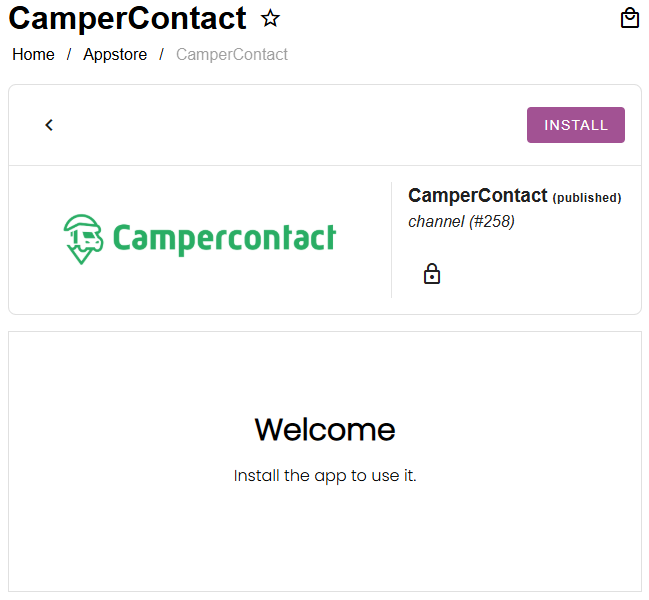
Se non vedi l'app del canale che stai cercando nell'App Store, contattaci all'indirizzo [email protected].
Imposta le tue tariffe
Le tariffe impostate su Camping.care possono essere applicate anche a canali esterni. In ogni app Qenner è possibile selezionare una tariffa per ogni alloggio:
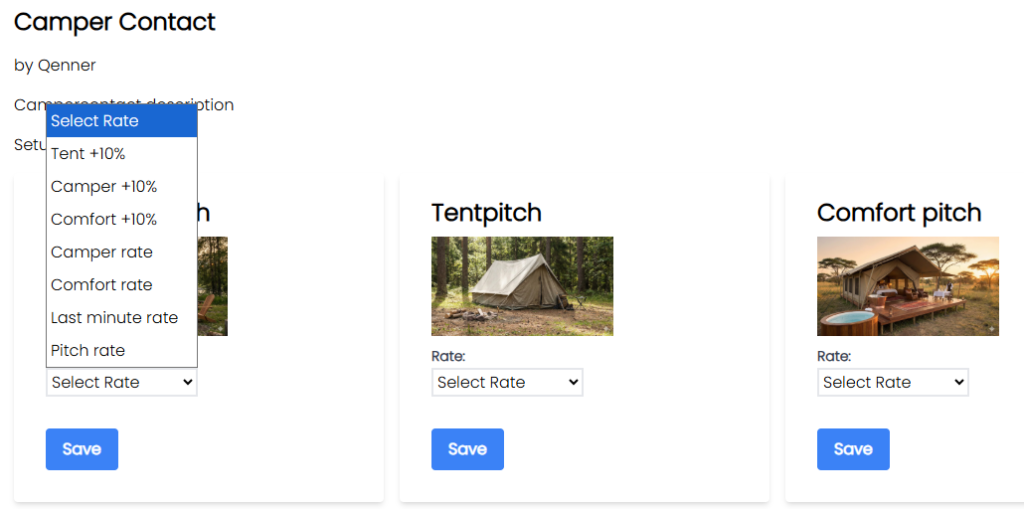
La tariffa sarà quindi pronta per essere inviata da Qenner al canale di prenotazione.
Se desideri impostare un prezzo diverso per il canale rispetto al tuo sito di prenotazione, potresti voler impostare una tariffa calcolata. Ulteriori informazioni a riguardo sono disponibili qui. Qui.
Configura i tuoi prodotti
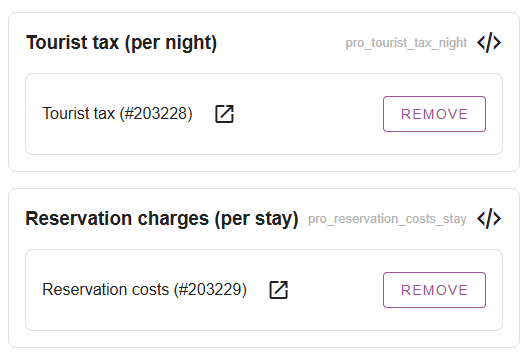
Dopo aver impostato le tariffe, potresti voler impostare anche alcuni prodotti da prenotare tramite i canali. Sotto Impostazioni -> Gestione canali -> Prodotti è possibile aggiungere prodotti pagando determinati costi aggiuntivi.
Possono essere tasse turistiche, costi di prenotazione, tariffe per animali domestici, ecc.:
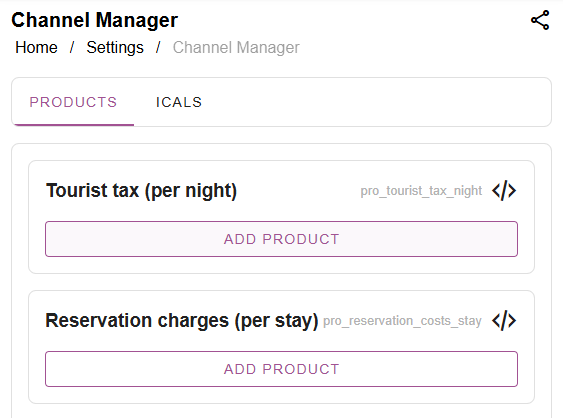
Potresti voler creare prodotti separati per i canali che utilizzi per le tue prenotazioni online. Quindi clicca semplicemente su "Aggiungi prodotto", cerca il prodotto e selezionalo:
Avvisa Qenner dopo che la configurazione è stata completata
Qenner non saprà con certezza quando avrai completato la configurazione, perché potresti non avere il tempo di completare tutto contemporaneamente. Quindi, dopo aver impostato tariffe e prodotti, dovrai comunicare a Qenner che ora può connettere il canale.
Puoi avvisarli facilmente cliccando sul pulsante blu "Avvisa Qenner" nell'app del canale sull'App Store:
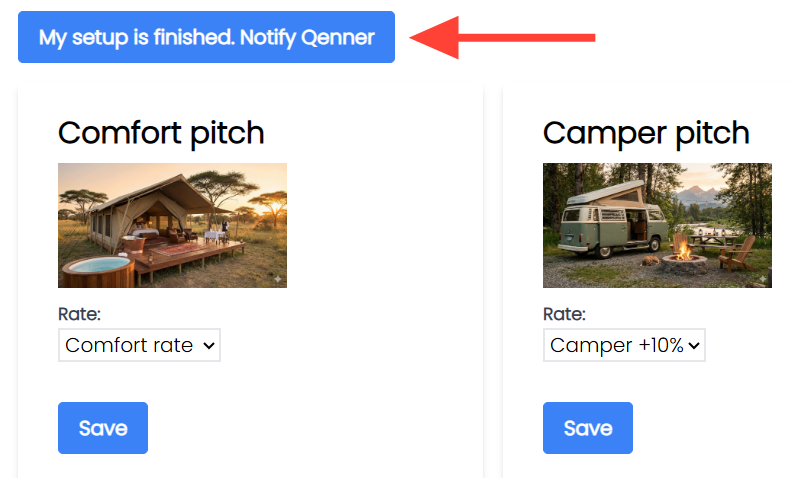
Questo invierà un messaggio automatico a Qenner, informandolo su quale canale deve essere configurato. Inizierà quindi la configurazione del canale e, in caso di domande, ti contatterà.
Tieni presente cosa fa Qenner o cosa non fa NON utilizzo!
Su Camping.care sono disponibili numerose impostazioni per gli alloggi, ma la maggior parte di quelle presenti nella sezione "Alloggi" non verranno prese in considerazione da Qenner.
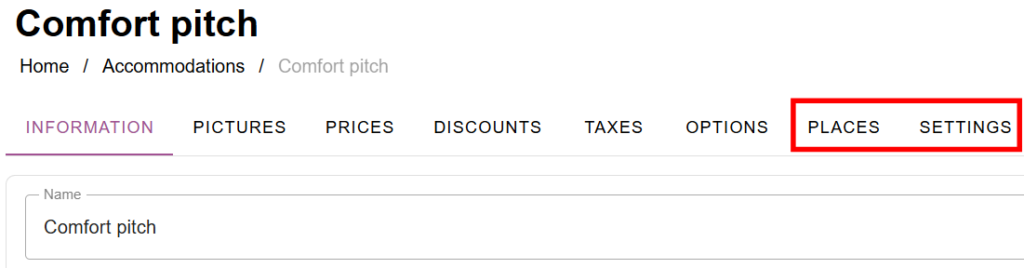
Qenner utilizzerà alcune informazioni dalla scheda "Luoghi e impostazioni", come ad esempio il numero di alloggi prenotabili o il numero minimo/massimo di ospiti consentiti in una struttura:
Tuttavia, tutte le impostazioni che hai impostato nelle schede Prezzi, Sconti, Tasse, Opzioni, saranno NON essere utilizzato da Qenner:
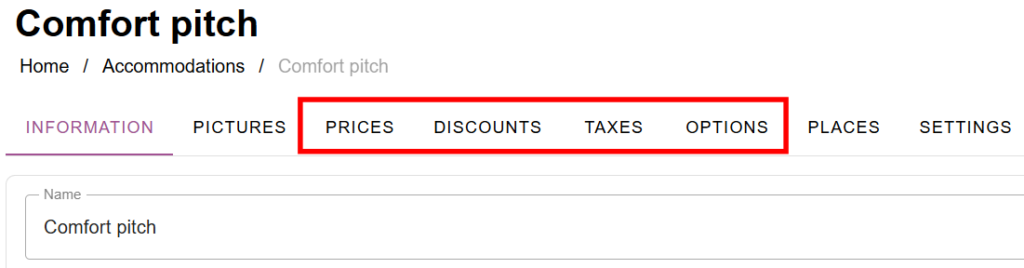
Ecco perché è necessario impostare i prezzi e i prodotti come descritto sopra prima di informare Qenner.
 Italian
  English
  Dutch
Dutch  German
  French
  Spanish
  Portuguese
  Finnish
  Danish
  Bulgarian
  Swedish